





 Download
Screenshots


Related Apps






About This App
 Name:
Emoji Battery Widget
Name:
Emoji Battery Widget
 Category:
Entertainment
Category:
Entertainment
 Price:
Free
Price:
Free
 Safety:
100% Safe
Safety:
100% Safe
 Developer:
MIA Studio Inc
Developer:
MIA Studio Inc
 Version:
Core Features:

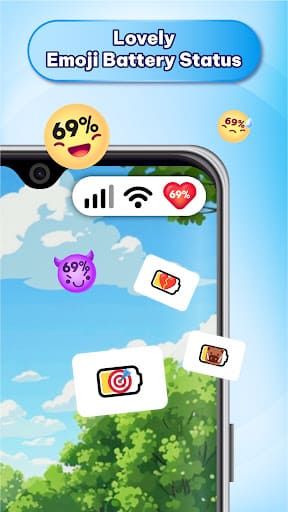
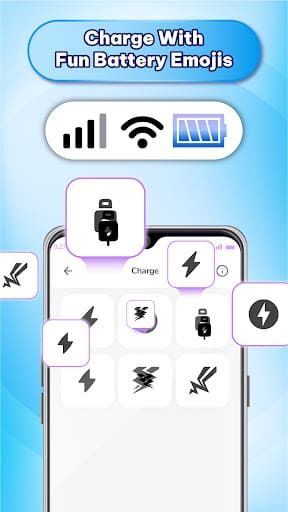
Playful Emoji Battery Indicator: Replace boring battery icons with cute emoji-style battery for fun status bar.
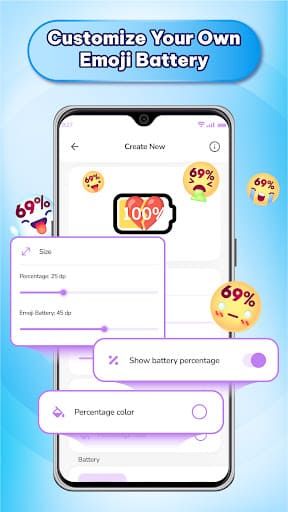
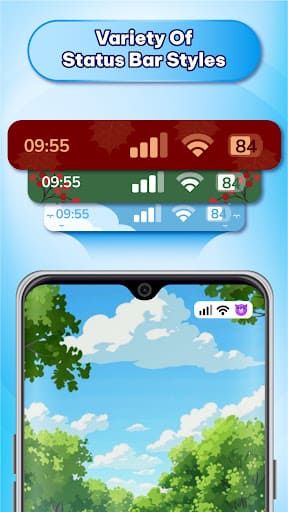
Customizable Status Bar Style: Choose from size, color, and icons to enable such as battery, data, time, per your liking.
Home-Screen Widget & Status Bar: Display the battery level with emojis on either the home-screen or the status bar for flexible display.
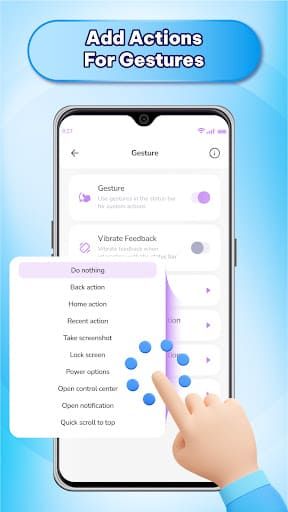
Gesture & Notch Customization: Assign gestures for navigation and optionally hide or style notch for sleek look.
Lightweight & Easy Setup: Small application size and fast installation; works without complicated setup.
Pros:

Fun and Unique Visuals: Emoji battery icons add personality, keeping battery status fun.
Strong Customizability: Color, size, status-bar and other icons can be customized to a home-screen user.
Works on a Wide Range of Devices: Supports a wide variety of mobile versions and phones of the Android platform.
User Friendly: Easy interface and control It will take very little technical expertise.
Real-Time Battery Indication: Battery level notification, U. Battery level shows up instantly and therefore, it maintains the correct state indication.
Cons:

Advertisements: The free version has advertising which can disrupt the user experience.
Poor Emoji Diversity: Although the number of emojis is not small, users with specific needs and wants of highly niche and custom icons might be disappointed by the assortment.
Potential Battery Drain: Due to the nature of the device, constant updates of the status can result in additional battery drain.
Learning Curve for Customization: So many options-size, style, notch, gestures-may be overwhelming for new users.
Price:
Emoji Battery Widget was also a free app, and there was no mandatory initial cost to install. It has advertisements in the free version; and optional in-app purchases are mentioned.
Community:
Google Play store reviews and comments
Android customization forums and Reddit threads about battery widgets
Social media groups for sharing home-screen setups and widget customization tips
Third-party Android review blogs and websites on widget and UI apps
If you want to make it fun, expressive, and peculiarly your own, Emoji Battery Widget offers a free, easy way to do so. It will replace the boring battery icons with playful emojis, let you style your status bar, and keep you informed with just one glance. Sure, the ads can be a bit annoying-but for those who enjoy personalization and are okay with a bit of setup, this widget may give cheerful personality to daily phone use. Try it out and let your battery icon be a reflection of your mood!
Disclaimer
Any reviews that are posted on this site are original works that are prepared by our editorial crew. We independently recommend high-quality apps on our own, only to guide the users in making wise decisions. We have nothing to do with, and we do not represent any of the app developers and are not on top of app development. For more details, please refer to our full Disclaimer. Should you feel that any material is a matter of copyright, please Contact Us and we will resolve the matter immediately.